Content Ideas
Finding content ideas from audience questions
Collect audience questions, check their context and choose which ones deserve a useful, credible piece of creator content.
Start with the question someone is trying to answer. Then decide whether your content can help them act on it. Comments, messages, conversations and search data can suggest questions, but none alone shows how many people need a piece or whether they will value your treatment of it.
Capture the question and its context
Keep a short idea record as questions arrive. Note its source, who seemed to ask, what they were trying to do and what they may already have seen. Keep original wording privately when it clarifies the problem; remove identifying details before sharing examples publicly.
A request for “the best microphone” might really mean “How can I make speech clearer in an ordinary room?” These lead to different pieces. Never silently turn the first into the second. Ask a follow-up where you can, or record the underlying problem as a possibility to check.
Look beyond your own replies. On YouTube, the Studio Trends tab can suggest searches and, where available, content gaps for Shorts. A reported gap is an idea prompt, not evidence your audience wants your particular answer. Audience reports can show other content your viewers watch, but they do not explain any individual’s reason for watching.
Separate the signals
| Signal | What it may reveal | What to check next |
|---|---|---|
| A direct question | One person’s task and wording | Whether the answer could help others in the same situation |
| Similar comments | A point of confusion among visible commenters | Whether the comments share the same underlying problem |
| An interview | The decisions behind a request | Whether your interpretation fits other accounts |
| Platform data | Topics people encounter or search for | Whether you can answer a relevant question well |
Never count repeated comments from one thread as independent votes. Equally, never discard a precise question just because only one person asked it. A narrow but consequential decision may still deserve a good answer.
Read YouTube Trends at the right scale
To inspect these signals, sign in to YouTube Studio, open Analytics and select the Trends tab. Browse the trending page or enter a topic in the search bar, then save a search term to revisit it. Some sections may not appear if there are no relevant videos; insights can be limited by country, language or device.
The Trends cards describe different signals. Top searches draws on your audience and saved searches over the last 28 days; Breakout videos highlights well-performing content from creators similar to your channel; Recent videos shows videos related to topics your audience watched over that period. Treat each as a different prompt rather than combining them into a single measure of demand.
A YouTube content gap means viewers may not find enough quality results for a search: there may be no results, no exact match or no relevant videos, such as when existing material is old or low quality. Audience interest ranges from very low to very high and is based on videos watched more than 1,000 times per week over the last 28 days. These indicators describe platform activity, not whether your planned answer will be useful.
Turn a question into an answerable piece
Write a one-sentence promise: “After this piece, someone in [situation] can [do or decide what]”. Then check what the answer needs. A direct reply may be enough for a simple fact; a demonstration may suit a physical task. A comparison needs the conditions that make one option preferable to another.
For example, “Why does my voice sound distant?” could become a focused demonstration of microphone placement if the creator can show the setup and explain its limits. “Everything about recording audio” is too broad for one complete answer. If the advice depends on a model, location or date, state that boundary and check it before publishing.
Before adding the idea to a plan, check whether an existing piece already answers it. If so, make that answer easier to find or clarify it. A new follow-up should resolve the next decision, not repeat old advice under a new title.
Choose what to make next
Use four editorial checks instead of treating question counts as a score:
- Fit:Does the question belong to the audience and help you have promised?
- Usefulness:Can the piece leave someone with a practical answer or a sound decision?
- Credibility:Can you demonstrate or verify the answer and state its limits?
- Effort:Can you finish it well with the time and access available?
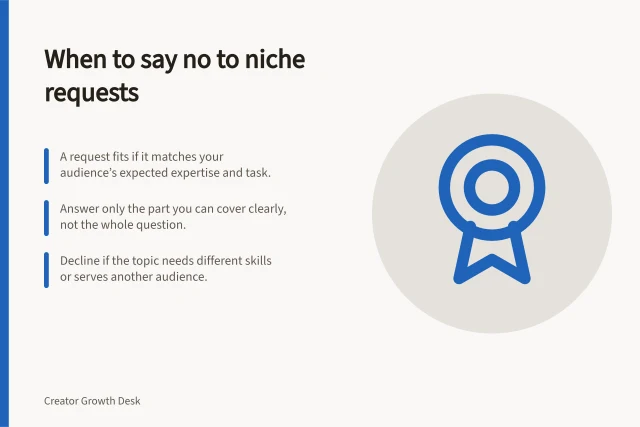
A request invites you to consider a topic; it is not a duty to publish. If the answer lies outside your expertise or usual audience promise, narrow the angle, find more suitable help or leave it aside.
Choose a few different questions for your next pieces: perhaps a recurring problem, one whose context you need to understand better and an adjacent question for the same audience. Each piece should have its own complete answer before you promise a series.
Learn from the published answer
After release, inspect the follow-up questions. Did people ask about a missing step, a different condition or a new decision? Did the piece appear to reach the people it was meant to help? YouTube’s Audience reports distinguish viewer types, although some data may be limited. A view or comment cannot show that the answer solved the problem for everyone who saw it.
Record what you observed, what you infer and what you will change. If people still ask the original question, check whether the opening or example is clear. If they ask about the next decision, consider a separate piece. Sometimes the best decision is to keep improving an existing answer.
YouTube defines monthly audience as the unique viewers who watched your content in the previous 28 days. Its Audience report groups viewers as new, casual or regular by watch behaviour, which can help you consider who a follow-up might serve; it does not identify those viewers’ individual questions.
If a report has dashes, zeros or missing rows, the data may be limited by traffic, privacy or a selected filter. YouTube says extending the time period to more than 30 days or removing filters and breakdowns may make more data available. Treat a partial report as an incomplete signal, not proof that a group or interest is absent.
YouTube audience metrics and data availability
- Monthly audience definitionUnique viewers who watched your content in the previous 28 days
- Audience report viewer typesNew, casual or regular (based on watch behaviour)
- Data limitationsDashes, zeros or missing rows may indicate limited traffic, privacy settings or filters
- Improving data visibilityExtending time period beyond 30 days or removing filters may help
In this guide
- Turning recurring comments into useful contentGroup repeated comments by the decision behind them, choose a suitable answer and avoid making duplicate or misleading content.
- Using audience interviews to uncover topic gapsUse focused audience interviews to find missing decisions in your content, then decide whether to update a piece or make a new one.
- Deciding which requests fall outside a creator's nicheDecide whether an audience request fits your creator niche, deserves a narrow reframe or is better declined or referred.